5 Best iPad Air Chargers in the US (2026) — Buying Guide + FAQs
Modern iPad Air models (M2, M3, and later) ship with a 20W USB-C Power Adapter and a USB-C cable. They support USB Power Delivery (PD) and typically draw a practical maximum of around 30W in real-world tests (packaging sometimes lists higher theoretical input). A quality 20–30W USB-C PD charger is ideal for fast, efficient charging; higher-wattage multi-port GaN chargers add convenience for iPhones, AirPods, or light laptop use without harming the iPad.
Here are five strong options widely available in the US, selected for reliability, safety features, size, value, and real-world suitability for iPad Air.
1. Apple 20W USB-C Power Adapter — Best Official / Most Reliable Match
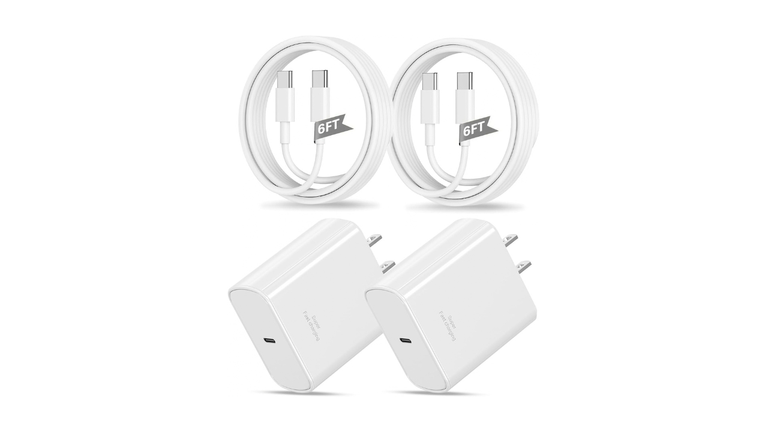
Apple’s own 20W USB-C adapter is the simplest, most compatible choice. It delivers the charging performance Apple designed around and works seamlessly with the included USB-C cable.
- Key specs: Single USB-C port, 20W PD output.
- Why it stands out: Guaranteed compatibility, clean design, broad Apple ecosystem support (iPhone, AirPods, etc.).
- Best for: Users who prefer first-party accessories or want a direct replacement.
- Approximate price: $19 (often available for less on Amazon, Best Buy, Walmart).
- Drawback: Single port only; no cable included in the adapter box.
Pair it with a good USB-C to USB-C cable for optimal results.
2. Anker Nano (or Nano 3) 30W GaN USB-C Charger — Best Compact Upgrade
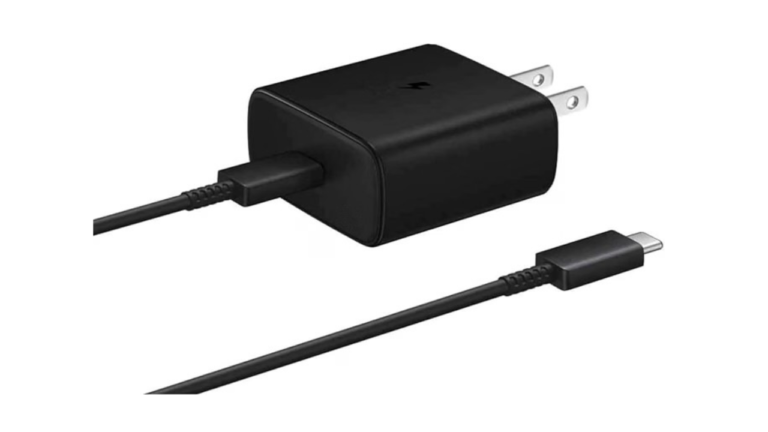
Anker’s tiny GaN Nano series packs 30W into a pocketable brick that is significantly smaller than many original 30W chargers. It supports full-speed charging for recent iPad Air models and works well with iPhones.
- Key specs: Single USB-C, up to 30W PD / PowerIQ, ActiveShield temperature monitoring, foldable or compact designs available.
- Why it stands out: Excellent size-to-power ratio, strong safety features, proven track record, often charges an iPad Air to ~50% in around 45 minutes under good conditions.
- Best for: Everyday carry, travel, or anyone wanting faster-than-stock performance without bulk.
- Approximate price: Around $16–$40 (single or with cable; multi-packs available).
- Drawback: Cable usually sold separately.
3. Anker Prime / Nano II 65W–67W Multi-Port GaN Charger — Best Overall Multi-Device
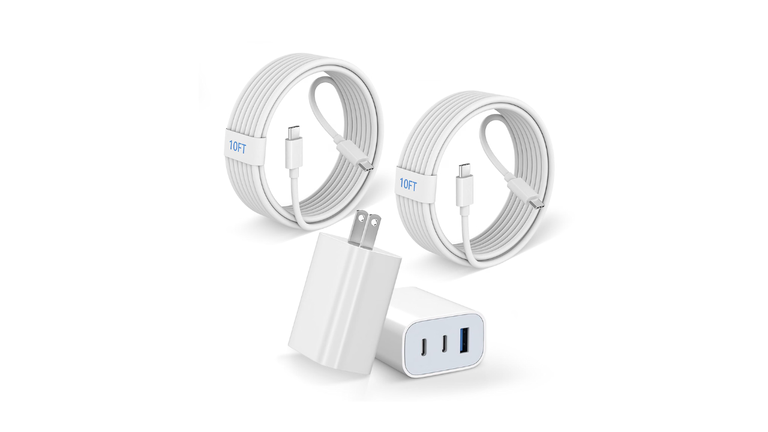
A compact multi-port GaN charger (Anker Prime 67W or similar Nano II 65W 2C+1A models) gives you enough headroom for an iPad Air plus an iPhone or accessories at the same time.
- Key specs: Typically 2× USB-C + 1× USB-A, up to 65–67W total, intelligent power distribution, ActiveShield safety.
- Why it stands out: One brick replaces several chargers; portable enough for travel; handles iPad Air at full practical speed while powering a second device.
- Best for: Households or travelers with multiple Apple devices (or a light MacBook Air).
- Approximate price: $30–$60 range depending on exact model and sales.
- Drawback: Slightly larger than single-port Nanos.
4. UGREEN Nexode 65W (or similar 65W 2C+1A) GaN Charger — Best Value Multi-Port
UGREEN’s Nexode line consistently ranks high for performance-per-dollar. The 65W versions deliver solid PD output across ports with good build quality and protocol support.
- Key specs: Multiple USB-C (and often USB-A), up to 65W total, compact GaN design, broad compatibility.
- Why it stands out: Strong real-world charging, competitive pricing, reliable for simultaneous iPad + phone use.
- Best for: Budget-conscious buyers who still want multi-device convenience.
- Approximate price: Often $25–$40.
- Drawback: Brand recognition is high but slightly less “premium” feel than top Anker or Apple options for some users.
5. Belkin BoostCharge Pro 45W Dual USB-C (or similar dual-port) — Best Dual-Port Mid-Range
Belkin’s dual USB-C options in the 45W class offer a clean balance of power and simplicity, with good safety certifications and Apple-ecosystem reputation.
- Key specs: Dual USB-C ports, combined ~45W, PD support suitable for iPad Air + phone.
- Why it stands out: Trusted brand, enough power for an iPad Air at practical speeds while charging a second device, solid build.
- Best for: Desk or nightstand setups where you regularly charge two devices.
- Approximate price: Around $30–$45.
- Drawback: Not as high total wattage as 65W+ GaN bricks if you also need laptop charging.
Quick Buying Guide for iPad Air Chargers
- Wattage: 20W is the baseline and fully adequate. 30W is the sweet-spot upgrade for slightly faster charging and future-proofing. 45W+ multi-port is useful mainly for charging multiple devices at once—the iPad itself will not pull dramatically more than ~30W.
- USB-C PD is essential: Look for USB Power Delivery support. Avoid cheap no-name chargers lacking proper certification.
- GaN technology: Preferred for smaller size, better efficiency, and cooler operation at higher wattages.
- Safety features: Temperature monitoring (e.g., Anker ActiveShield), over-voltage/current protection, and reputable brands matter. Stick to known names (Apple, Anker, Belkin, UGREEN) sold through major US retailers.
- Ports & form factor: Single-port for pure portability; multi-port if you charge an iPhone/AirPods/MacBook Air alongside the iPad. Foldable prongs help for travel.
- Cable: Use a quality USB-C to USB-C cable rated for the power (e.g., 60W+ capable even if the iPad draws less). The cable that came with your iPad is fine for most cases.
- Where to buy in the US: Apple Store, Amazon, Best Buy, Walmart, Target. Check current prices and reviews, as deals fluctuate.
FAQs
Does a higher-wattage charger charge my iPad Air faster?
Up to a point. Moving from 20W to a solid 30W charger can improve speed modestly. Beyond that (45W, 65W, etc.), the iPad negotiates only what it needs (~30W practical max in tests), so extra wattage mainly benefits simultaneous multi-device charging.
Is it safe to use a 65W or 100W laptop charger?
Yes. USB-C PD is designed so the device requests only the power it can handle. Higher-wattage certified chargers are safe and convenient.
Do I need a special cable?
A standard good-quality USB-C to USB-C cable works. Avoid damaged or very cheap cables that may not support the required current properly.
Can I use MagSafe or wireless chargers?
iPad Air models do not support MagSafe wireless charging. Stick to wired USB-C for reliable full-speed charging.
Will these work with older iPad Air or other iPads?
Most modern USB-C PD chargers work with iPad Air 4th generation and later, as well as recent iPad Pro, iPad, and iPad mini models that use USB-C.
What about power banks?
Look for power banks with at least 30W USB-C PD output if you want comparable wired speeds on the go. Capacity of 10,000–20,000 mAh is practical for an iPad Air.
Bottom line: For most people the Anker Nano 30W or the official Apple 20W is the best everyday pick. Step up to a multi-port 65W GaN charger (Anker or UGREEN) if you regularly charge more than one device. Always buy from reputable sellers and verify the latest model numbers and reviews, as product lines update frequently.