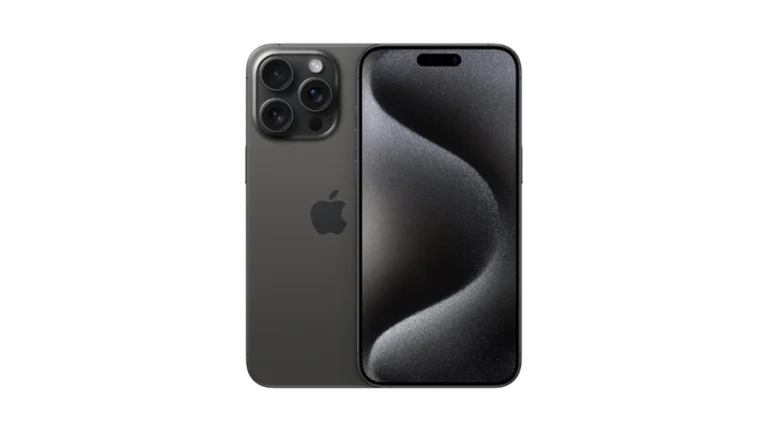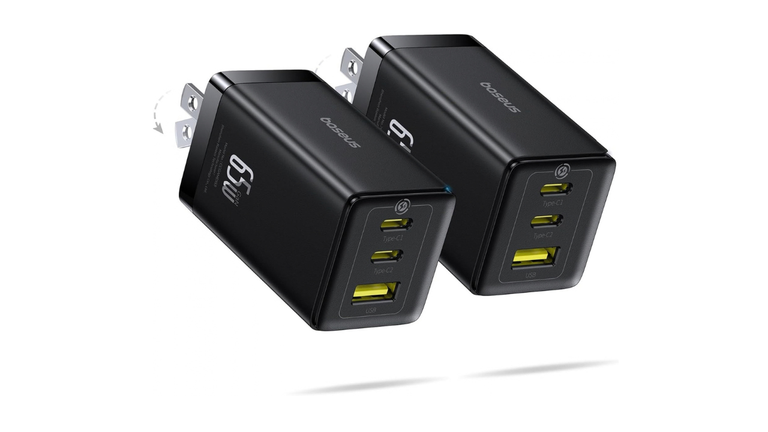
5 Best iPhone 16 Pro Max Chargers (2026 Buying Guide + FAQs)
The iPhone 16 Pro Max ships without a wall adapter, so picking the right charger actually matters — the wrong one leaves speed on the table, and an uncertified one can be a safety risk. Below are five solid picks for different needs, followed by a buying guide and FAQ to help you choose with confidence.
Quick Picks at a Glance
| Charger | Type | Best For |
|---|---|---|
| Apple 20W USB-C Power Adapter | Wired, single-port | Simplicity, official Apple hardware |
| Anker 511 Charger (Nano 3, 30W) | Wired, single-port GaN | Compact everyday fast charging |
| Belkin BoostCharge Pro 3-in-1 MagSafe Stand | Wireless (MagSafe) | Nightstand/desk charging for phone, watch, earbuds |
| Anker 737 Charger (GaNPrime 120W) | Wired, multi-port | Charging phone, tablet, and laptop together |
| Apple MagSafe Charger + 30W adapter | Wireless (MagSafe) | Cable-free convenience at up to 25W |
1. Apple 20W USB-C Power Adapter
Apple’s own compact adapter is the baseline every other charger is measured against. It’s small, dependable, and guaranteed to work exactly as Apple’s own fast-charging specs describe.
Why it’s a solid pick: Apple’s testing shows the iPhone 16 Pro Max reaching roughly 50% battery in about 30 minutes with this adapter and a USB-C cable. It’s an easy no-fuss option if you just want something that works.
Trade-off: It’s single-port only and doesn’t unlock the phone’s higher charging ceiling — you’ll want a higher-wattage charger below if you want the fastest possible top-ups or plan to use MagSafe at its full 25W.
2. Anker 511 Charger (Nano 3, 30W)
Anker’s compact GaN (gallium nitride) chargers have become a go-to third-party alternative because they pack more power into a smaller footprint than older silicon-based chargers.
Why it’s a solid pick: At 30W, this charger comfortably hits the wattage needed for the iPhone 16 Pro Max’s fastest practical wired charging and is small enough to disappear in a bag pocket. GaN chargers also tend to run cooler than traditional adapters.
Trade-off: Single port, so it won’t help if you’re charging multiple devices at once.
3. Belkin BoostCharge Pro 3-in-1 MagSafe Stand
For a nightstand or desk setup, a 3-in-1 stand that charges your iPhone, Apple Watch, and AirPods at once is hard to beat for convenience.
Why it’s a solid pick: It supports MagSafe wireless charging for the iPhone 16 Pro Max, keeps your Watch and earbuds topped up simultaneously, and eliminates cable clutter on a desk.
Trade-off: Wireless charging is inherently slower and generates more heat than wired charging, and you’ll need to supply your own compatible USB-C wall adapter (30W or higher) to hit MagSafe’s top wireless speed.
4. Anker 737 Charger (GaNPrime 120W)
If you’re charging more than just your phone — think MacBook, iPad, and iPhone all from one outlet — a high-wattage multi-port charger like this one <cite index=”11-1″>offers a total of 120W output with a maximum of 100W from a single port, letting it rapidly charge an iPhone 16 and two other compatible devices at the same time</cite>.
Why it’s a solid pick: One brick, one outlet, three devices charging simultaneously — genuinely useful for travel or a shared desk setup.
Trade-off: It’s bulkier and pricier than a single-port charger, which is overkill if you only ever need to charge one phone.
5. Apple MagSafe Charger + 30W USB-C Adapter
Apple’s official MagSafe puck, paired with a sufficiently powerful adapter, is the cleanest way to get fast wireless charging without hunting for third-party certification.
Why it’s a solid pick: <cite index=”3-1″>The iPhone 16 Pro Max can charge at up to 25W over MagSafe, a jump from 15W on older models, making this the first generation of iPhone that can fast-charge wirelessly</cite>. Apple’s support documentation confirms this <cite index=”1-1″>requires connecting the MagSafe Charger to a 30W or greater USB-C power adapter to hit that 25W peak</cite>.
Trade-off: The Apple MagSafe puck doesn’t include a wall adapter, so this is technically a two-part purchase — and independent testing has found real-world MagSafe wattage often lands somewhat below the advertised peak once you factor in heat throttling.
Buying Guide: What to Actually Look For
1. Match the wattage to your charging style
<cite index=”6-1″>Apart from Apple’s 87W charger, most original chargers above 29W reach the 15V power profile the iPhone 16 Pro Max needs, keeping charging power around 30W</cite> — so once you’re past roughly 30W, you’re not gaining meaningful extra speed from a bigger brick. <cite index=”3-1″>A 30W or better power adapter gets the best fast-charging speed for wired USB-C charging</cite>, while <cite index=”3-1″>a 20W adapter is still enough to hit close to 50% in 30 minutes if you’re not chasing every last minute</cite>.
Be skeptical of marketing claims advertising 45W as a special “iPhone 16 Pro” speed tier — Apple’s own published testing and independent lab measurements consistently show charging power plateauing around 28–30W regardless of how much extra wattage the adapter can supply.
2. Decide between wired and MagSafe
Wired USB-C charging is faster and generates less heat. MagSafe is more convenient — no fumbling with a cable in the dark — but wireless charging is inherently less efficient and runs warmer. If you charge overnight or while working at a desk, MagSafe’s slight speed penalty rarely matters. If you need the fastest possible top-up before heading out the door, plug in.
3. Look for GaN technology
GaN (gallium nitride) chargers deliver more power in a smaller, cooler-running package than older silicon chargers. Most current chargers from Apple, Anker, Belkin, and Ugreen use GaN, so it’s less something to hunt for and more a baseline to expect in 2026.
4. Get a genuinely fast cable
A charger is only as fast as the cable connecting it. The cable that ships in the iPhone 16 Pro Max box is USB 2 speed for data transfer, so if you also want fast file transfers (not just charging), pair your charger with a USB 3 or Thunderbolt-rated USB-C cable rated for at least 60W.
5. Don’t skip certification
Stick to chargers with UL, CE, or FCC safety certification, and favor established brands. Uncertified, ultra-cheap chargers are the main source of overheating, inconsistent power delivery, and battery-health complaints.
6. Think about how many devices you actually carry
If you’re a one-device person, a compact single-port 20–30W charger is all you need. If you’re regularly charging a phone, watch, tablet, and laptop, a multi-port GaN charger in the 65–120W range saves you outlets and desk space, even if it costs more upfront.
FAQs
What’s the maximum charging speed of the iPhone 16 Pro Max? <cite index=”6-1″>Independent lab testing found charging power peaks around 28W for roughly the first 13 minutes on a wired charger, then gradually steps down as the battery fills</cite>. <cite index=”5-1″>Apple states the phone can reach about 50% charge in around 30 minutes using a 20W or higher USB-C adapter, or with a 30W-or-higher adapter paired with the MagSafe Charger</cite>.
Does the iPhone 16 Pro Max really support 45W charging? Some retailers and blogs advertise 45W as the “fast charging” spec, but that number reflects what some adapters can output — not what the iPhone actually draws. <cite index=”3-1″>Testing has shown that charging tops out around 30W, similar to the iPhone 15 Pro’s charging speed, despite earlier speculation about 45W support</cite>. Treat 45W marketing claims with some skepticism.
Do I need an official Apple charger, or is third-party fine? A certified third-party charger from a reputable brand (Anker, Belkin, Ugreen, etc.) works just as well as Apple’s. What matters is USB-PD compatibility, sufficient wattage, and safety certification — not the logo on the brick.
What wattage adapter do I need for full-speed MagSafe charging? <cite index=”1-1″>You need at least a 30-watt USB-C power adapter connected to the MagSafe Charger to reach its full 25W peak power on the iPhone 16 Pro Max</cite>. A lower-wattage adapter will still charge the phone, just more slowly.
Can I use my old iPhone charger from a previous model? Yes, as long as it’s USB-C and delivers at least 20W. It just won’t unlock the very fastest speeds available if it’s under 30W.
Does fast charging damage the battery over time? Modern iPhones manage charging current and heat internally to protect long-term battery health, so occasional fast charging isn’t a major concern. That said, minimizing heat exposure — such as avoiding fast charging in a thick case or in direct sunlight — is generally good practice for any lithium-ion battery.
Is wireless (MagSafe) charging slower than wired? Yes. Wired charging is consistently faster and cooler-running than wireless charging on the iPhone 16 Pro Max. MagSafe’s 25W ceiling is competitive for wireless charging, but it still lags behind a good wired 30W setup.